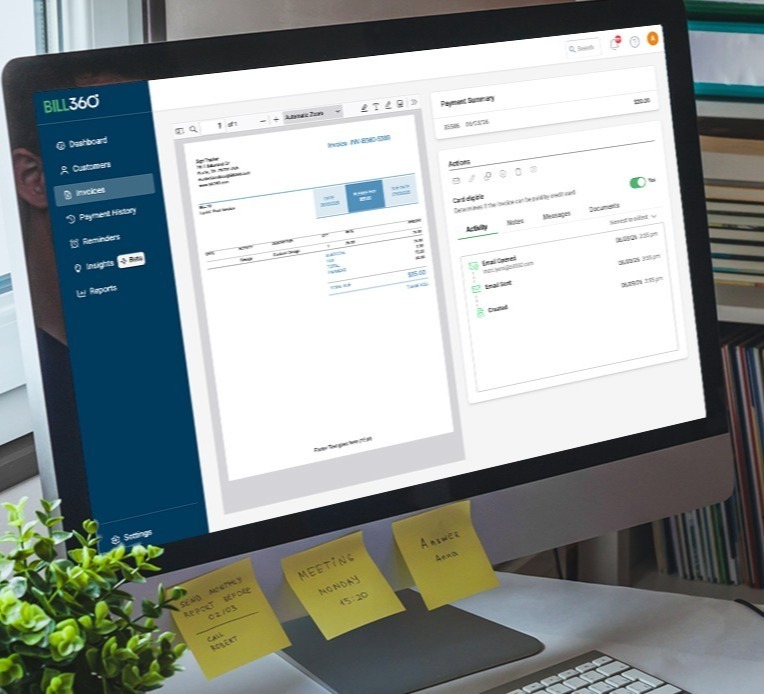
What is accounts receivable automation
Accounts receivable automation uses software to reduce manual work across invoicing, payment reminders, collections, payment processing, reconciliation, and reporting.
Instead of managing receivables across emails, spreadsheets, and separate tools, finance teams can manage more of the AR process in one connected workflow.
For B2B businesses, AR automation can improve visibility into outstanding invoices, make it easier for customers to pay, and reduce the time teams spend on repetitive follow-up and reconciliation.
The result is a more consistent receivables process and more predictable cash flow.
Terms you should know:
Why Accounts Receivable Automation Matters for B2B Companies
Accounts receivable automation reduces repetitive work and gives finance teams greater visibility across the receivables process.
- Reduces manual invoicing, follow-up, and reconciliation work
- Gives teams better visibility into outstanding receivables
- Makes it easier for customers to view and pay invoices
- Helps businesses manage cash flow more predictably
How Bill360 Supports the AR Process
- Electronic invoicing and automated payment reminders
- Digital payment options, including ACH and cards
- Customer self-service portal and payment management
- Automated payment reconciliation
- AR reporting and invoice visibility
- Integration with QuickBooks and Xero
- Guided setup and U.S.-based support

Less manual work. Better visibility. More predictable cash flow.
Less manual work
Automate repetitive tasks across invoicing, payment follow-up, collections, and reconciliation so finance teams can spend more time on exceptions and higher-value work.
Better visibility into receivables
See what has been paid, what remains outstanding, and where follow-up may be needed without piecing information together across spreadsheets and separate tools.
A simpler payment experience
Give customers convenient ways to view invoices and pay digitally, helping reduce payment friction and making the AR process easier for both sides.
How Accounts Receivable Automation Works
1. Create and send invoices
Invoices are generated from your accounting system and delivered electronically to customers.
2. Automate payment follow-up
Scheduled reminders help teams follow up consistently before and after invoices become due. For teams managing overdue balances, accounts receivable collections software can help automate routine follow-up and keep collection activity organized.
3. Make it easier for customers to pay
Customers can view invoices and use digital payment options such as ACH and cards.
4. Match payments to invoices
Auto reconciliation reduces the manual work required to identify payments and match them with the appropriate invoices.
5. Monitor receivables
Finance teams can see paid and outstanding invoices, customer payment activity, and AR information in one place.